Explore the truth behind the most common myths about MacBook screen replacement in our latest blog post. This article debunks misconceptions such as the cost of replacement, the feasibility of DIY repairs, and the differences between genuine and third-party screens. Learn why professional services are often more reliable, how to prevent further damage, and what to expect in terms of time and warranty. Whether you're dealing with a cracked display or considering your repair options, this guide will help you navigate the screen replacement process with clarity and confidence.
Myth 1: Screen Replacement is Always Expensive
Fact: While it’s true that MacBook screen replacements can be pricey, the cost varies significantly depending on the model and the extent of the damage. For instance, replacing a screen on a MacBook Air might be less expensive compared to a MacBook Pro with Retina display. Prices range from ₹6,499 to ₹44,999, depending on factors like screen size and model. Opting for a professional service rather than a DIY approach often ensures better results and can sometimes be more cost-effective in the long run.
Myth 2: DIY Screen Replacement is a Viable Option
Fact: Many believe that replacing a MacBook screen on their own is a practical solution. However, DIY screen replacement carries significant risks. Modern MacBook screens are complex and integrated with other components, making them challenging to replace without specialized tools and expertise. Improper handling can lead to further damage and void any existing warranty. Professional services offer the assurance of quality repairs and often include a warranty on the replacement part.
Myth 3: All Replacement Screens are the Same
Fact: Not all replacement screens are created equal. Using genuine Apple parts ensures compatibility and maintains the integrity of your MacBook’s display quality. Third-party screens might be cheaper but can result in color mismatches, lower resolution, or reduced durability. When opting for screen replacement, ensure the use of high-quality or OEM (Original Equipment Manufacturer) parts to maintain optimal performance and longevity.
Myth 4: Screen Damage is Only Cosmetic
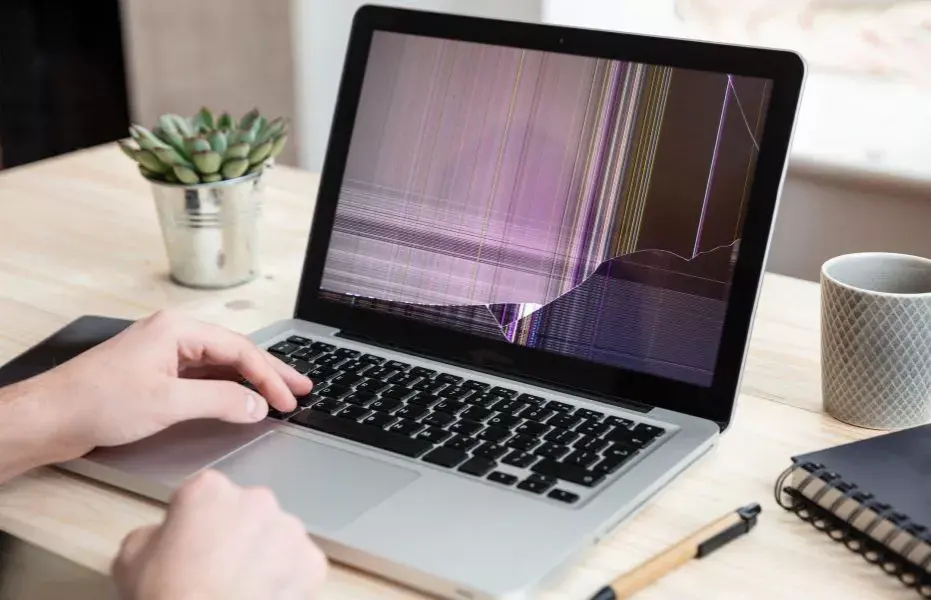
Fact: While a cracked or damaged screen might seem like a cosmetic issue, it can significantly impact your MacBook’s functionality. Issues such as flickering, dead pixels, or total display failure can affect your productivity and potentially lead to further damage if left unaddressed. Timely screen replacement can prevent additional problems and ensure your MacBook operates smoothly.
Myth 5: AppleCare Covers All Screen Replacements
Fact: AppleCare+ provides coverage for accidental damage, including screen repairs, but it often comes with a service fee. The extent of coverage and associated costs can vary, so it’s essential to review your warranty details. For those outside the warranty period or without AppleCare, third-party repair services can offer competitive pricing for screen replacement.
Myth 6: Screen Replacement Takes a Long Time
Fact: The time required for a MacBookscreen replacement can vary depending on the service provider and the model. Professional repair services often complete the replacement within a few hours to a day. Many providers offer same-day service for standard repairs, minimizing downtime and getting your MacBook back to you quickly.
Myth 7: Screen Replacement Will Void My MacBook Warranty
Fact: Replacing your MacBook screen with genuine parts from an authorized service provider typically does not void the warranty. However, using unauthorized parts or performing a DIY replacement could void your warranty and lead to additional complications. Always check with your service provider or Apple to ensure that your warranty remains intact.
Myth 8: Screen Repair Is the Same as Screen Replacement
Fact:Screen repair and replacement are not the same. While minor screen issues like small scratches might be repaired, significant damage such as cracks usually requires a full screen replacement. Repairing a screen can sometimes be less effective and may not address underlying issues, making replacement the more reliable solution for comprehensive fixes.
Myth 9: All Repair Shops Provide the Same Quality
Fact: Not all repair shops offer the same level of service or quality. Choosing a reputable and experienced repair provider is crucial for ensuring that you receive high-quality parts and professional workmanship. Look for reviews, certifications, and warranties to gauge the reliability of the service provider.
Myth 10: You Can Ignore a Slightly Damaged Screen
Fact: Even minor screen damage can lead to more significant issues if ignored. Cracks or discoloration can worsen over time, potentially affecting other components of your MacBook. Addressing screen damage promptly through replacement helps avoid further complications and maintains the overall health of your device.
Conclusion
Understanding these common myths about MacBook screen replacement can help you make informed decisions and avoid costly mistakes. Whether you’re considering a DIY approach or opting for professional repair services, it’s crucial to prioritize quality and ensure that you use genuine parts to maintain your MacBook’s performance. By debunking these myths, you can approach your screen replacement with greater confidence and achieve the best results for your device.
For those seeking reliable and professional screen replacement services, We offers top-notch solutions. With a commitment to using genuine parts and providing expert repairs, We ensures that your MacBook screen replacement is handled with the highest level of care and precision. Their experienced technicians and customer-centric approach guarantee that your device will be restored to optimal condition, minimizing downtime and maximizing performance. For more information or to schedule a screen replacement, visit MakCity® or call us at 09958360093.


 WhatsApp
 Call Now